Write itWe help it get read
A calm, clean place to write. Add pictures, check how the post will look in search results, schedule it for the morning and credit it to the right person. Links between your posts, feeds for readers and an AI-friendly index come built in.
Free for 14 days. Card needed, nothing charged until the trial ends.
How to feed a sourdough starter
A healthy starter is mostly about routine. Feed it at the same time each day and it will tell you when it is ready.
Use equal weights of flour and water. Stir, cover loosely and wait for the bubbles. Sourdough starter loves a warm spot.
Type / for headings, lists, quotes, images, tables and FAQs…
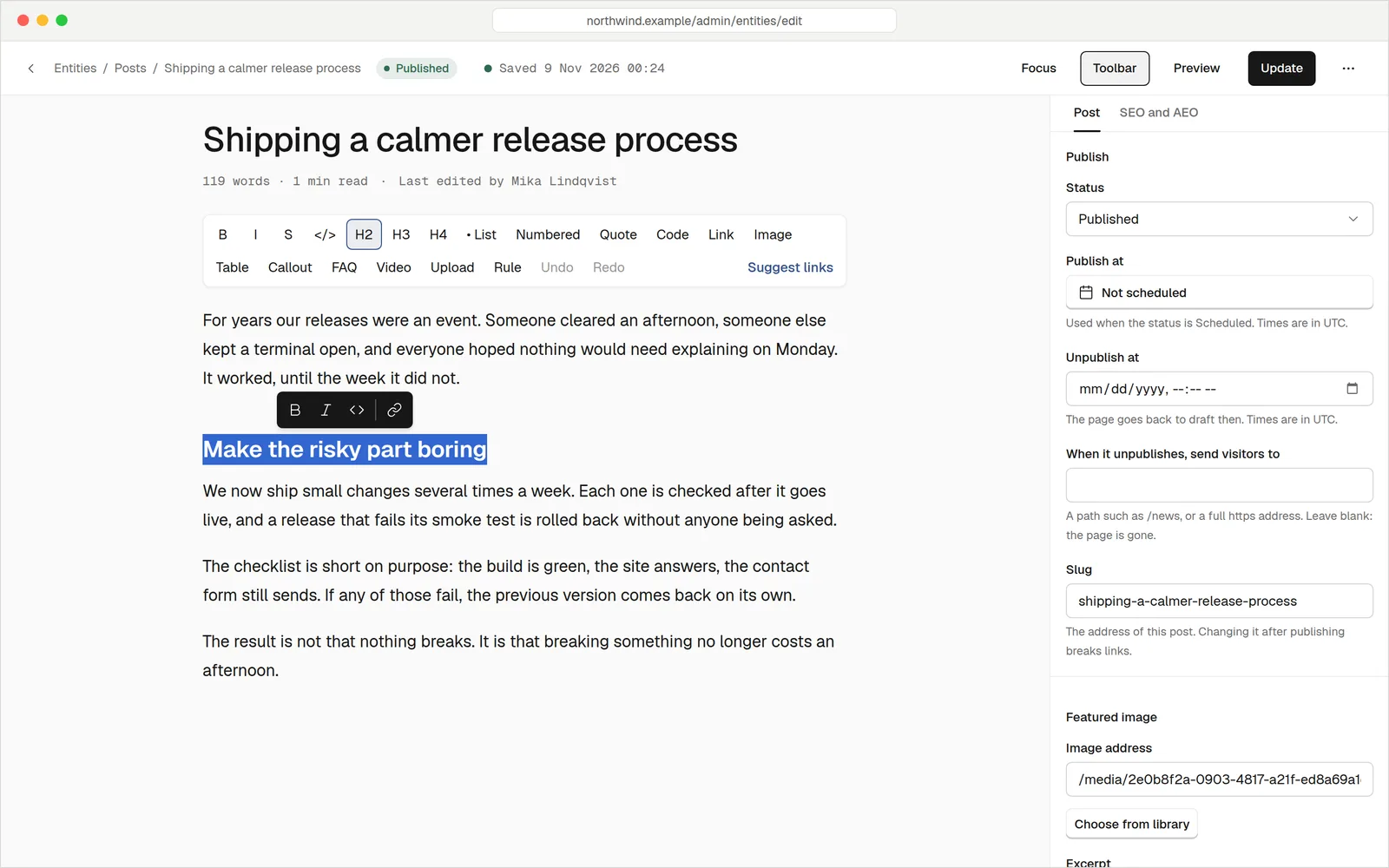
Just you and the words
Click the title and start typing. Type a slash at the start of a line and a menu offers headings, lists, quotes, tables, images, videos, call-outs and FAQ blocks. Select some text for bold, italic and links. Markdown shortcuts work too.
- Pictures by paste or drop. They land in your media library, and the editor asks for a description.
- Saves as you go. A few seconds after you stop typing. If your browser closes, your text is offered back.
- Preview as a visitor. Flip between desktop and mobile widths before you publish.
- FAQ blocks give assistants and search engines clean question and answer pairs to quote.
Know how it will look before it is live
Choose the phrase you want the post to be found for. As you write, you see a preview of the search result and a short list of checks. Nothing to learn: each one says what to fix in plain words.
- Search result preview, with a check that the title and description are a good length.
- Keyword checks that look at the places that matter, like the title and the opening.
- Tips for AI answers, such as leading with a clear, short answer.
- You decide what AI reads. A switch controls whether the post appears in your llms.txt index, and another asks search engines to skip it.
Search result preview
Equal parts flour and water, the same time every day. Here is how to keep a starter happy, and what the bubbles are telling you.
Posts this month
Time zone: PerthWrite on SundayPublish all week
Set a post to Scheduled and pick the date and time. It goes live by itself, in your site's time zone. You can also set a post to come down on a date, handy for a seasonal offer, and send its address somewhere sensible when it does.
- Draft, Scheduled, Published or Archived. The list shows where every post stands.
- Share a private preview of a draft or scheduled post with someone for feedback.
- Earlier versions are kept. Compare two and restore one if you change your mind.
The right name on every post
Credit each post to a person, or to your business. People can have their own public profile page with a photo, job title, short bio and links. Group posts with categories and tags so readers can find more of what they like.
- Public profile pages at /author/their-name, listed in your sitemap.
- Team page ready. Mark people as part of your team and your design can show them.
- Merge duplicates. If someone appears twice, combine them and keep all their posts.
- Structured data written for you. Posts are described as articles, with the author and dates, for search engines and AI.
People
Categories and tags
Link suggestion
Our Saturday sourdough class is the best way to learn the feel of the dough, and you take a starter home with you.
Link your posts without the hunt
Tell us once that the phrase "sourdough class" should link to your classes page. We find the places in your existing posts where it fits and offer the link. You confirm each one, and we do the editing.
- Rules and suggestions. Set a phrase, a target page and how many links per post. Preview before you save.
- See which pages get links. A report shows how many internal links each page receives.
- Links never go stale. Change a page address and every link to it is updated.
- Related posts can show under an article, picked from the same topics.
Feeds, popular posts and more to read
Readers who follow blogs in a feed reader get your newest posts automatically. Your design can also show what other people are reading right now, without putting a number next to it.
- RSS and Atom feeds. Your 20 newest posts, with absolute links, ready to go at /feed.xml and /atom.xml.
- Popular posts. A list of the most viewed posts over 7, 30 or 90 days. Counts are never shown.
- Reading time and word count are available to your design on every post.
- Tidy listing pages. Posts by category, tag and author each get their own page.
Most read this month
Last 30 daysEverything a blog needs
Many languages
Translate posts and keep each one linked to its twin. See multiple languages.
Featured image and excerpt
The picture and summary shown in lists and when someone shares the post.
Draft with an AI helper
Let an assistant write drafts under your rules, then review before publishing. See AI agents.
Contact and signup forms
Add a form to any post with spam protection built in. See forms.
Address changes handled
Change a post's address and the old one redirects for you, so links keep working.
Bring your old blog
Moving from WordPress? Your posts, images and links come with you. See the move.
QuestionsAnything else, just ask
Talk to usYes. Add as many people as you like. Each can have a public profile page, or you can credit posts to your business instead.
You can invite people to your site. Owners and editors can write and publish, and owners control who gets which role.
No one can promise that. We make sure each post has a good title and description, clean structure and a sitemap entry, and we tell you what to fix.
If someone saves while you are writing, you are asked whether to keep your version or load theirs. Nothing is overwritten silently.
Yes. Archive it, or set a date for it to come down. If you give it a destination, the old address forwards there.
Your RSS feed works with feed readers, and forms can collect enquiries. For email newsletters, see webhooks, API and email to connect the tool you already use.
Start writing today
Your blog could have its first post live by lunch. Free for 14 days.