Add-ons you can actually trust
Plugins are how you add something extra to your site. Ours are signed, so you know who made them, and they run in a locked box. Before you install one, you see every permission it asks for. It gets nothing you don't tick.
Most sites never need one. SEO, forms, caching and the rest are already built in.
Install "Event Calendar"?
Every permissionIn plain view
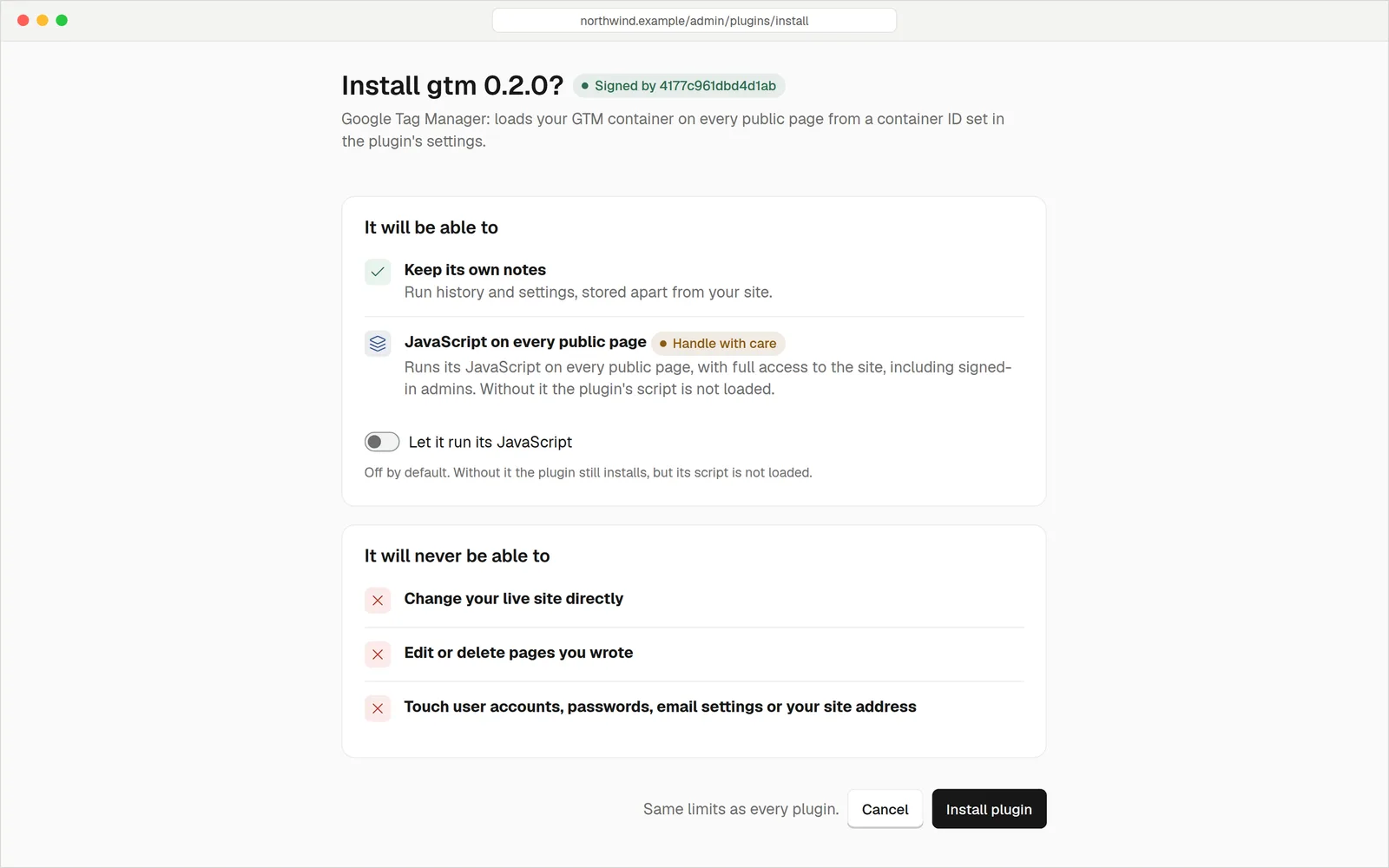
When you install a plugin, you see who signed it and a list of everything it wants to do: read your pages, store data, send email, reach other websites. Untick what you don't want. Only what stays ticked is allowed.
- Nothing is allowed by default. A plugin that tries something you didn't permit is simply refused, and carries on.
- Risky permissions are flagged. Anything that can run code on your public pages, or reach any website, carries a warning. The most dangerous, running scripts on your pages, starts switched off.
- Updates ask again. If a new version wants more, the new permissions are marked and left off until you say yes.
If a plugin breaksYour site doesn't
Each plugin runs sealed inside your site, as a small WebAssembly program. It can't wander.
What a plugin can't touch
When something goes wrong
Technical detail: a plugin's data lives in its own database schema, with its own database user that cannot read core tables. Memory and run time are capped per call.
A plugin proposesYou decide
When a plugin wants to change your content, such as an importer bringing in pages, it doesn't touch your live site. It prepares a set of changes. You preview the site with them, then publish or throw them away. A published set can be undone as a whole.
- Risky changes one by one. New outside links, redirects, deletions and address changes are listed so you can approve each.
- Only its own work. A plugin can change only what it created. Edit something by hand and it becomes yours.
- Not forgotten. A set nobody publishes or discards within 72 hours is deleted.
Proposed by "Importer"
Nothing is live until you publish
- 38 pages addedPreview
- 214 posts addedPreview
- 252 redirectsApprove
- 2 links to new sitesApprove each
Installing takes a minuteNothing to copy or compile
The Plugins page lists what's available. The list itself is signed, so it can't be tampered with on the way.
See the signer and each permission. Untick anything you don't want.
It's live straight away. No file to copy, no restart, nothing to compile. Remove it later and choose whether to keep or delete its data.
Your pages, posts and media are never touched when you remove a plugin.
For most sites. SEO, forms and spam protection, caching, redirects, a cookie banner, 13 tracking tags and multiple languages are all built in. That's less to update, less to break and less to trust. Reach for a plugin only when you need something unusual.
Small jobsDone safely
Tracking tags
A tag pack adds a tracking tag to your pages, with permissions you can read before you say yes.
Extra structured data
Add more detail for search engines and AI, or hide a section you don't want shown.
Admin pages
A plugin can add its own page to your admin, running in a sandboxed frame with only the powers you granted.
Scheduled jobs
Run a task on a timer, such as tidying data or fetching from an approved website.
Importers
Bring content in as a changeset you can preview, approve and undo.
New blocks
Give the page builder new block types and data sources, for you or for a theme.
QuestionsAnything else, just ask
Talk to usProbably not. The things people usually install plugins for are already built in. Look at what's included before you add anything.
The maker's digital signature proves who built the package and that nobody altered it. Your site refuses a package from a signer it doesn't trust.
Only if you grant a permission that reaches them, such as reading form submissions. The permission screen shows you before anything is installed.
Yes, if you or your developer can code. Plugins are written in Go or another language that compiles to WebAssembly. The open-source page explains where to start.
You choose: keep the plugin's stored data for later, or delete it too. Your own content isn't touched.
No. A theme controls how every page looks, so install themes only from sources you trust. More on themes.
Build on something safe
Start your free 14-day trial. Card needed, nothing charged until the trial ends.