Everything Yoast SEO does
Already built in
Titles, previews, sitemaps, schema, redirects and internal links come with every site. No plugin to install, update or renew.
From USD 12/mo. Card needed, nothing charged for 14 days. Your Yoast titles and descriptions come across when you move.
| Feature | Yoast SEO Premium$118.80/yr, ex VAT | hatamoto.ioFree |
|---|---|---|
| SEO titles and descriptions | ||
| Google preview while you write | ||
| Focus keyword and readability checks | ||
| XML sitemaps and robots.txt | ||
| Schema and breadcrumbs | ||
| Social previews | Premium | |
| Redirect manager | Premium | |
| Internal linking suggestions | Premium | |
| Which AI assistants read your pages | No |
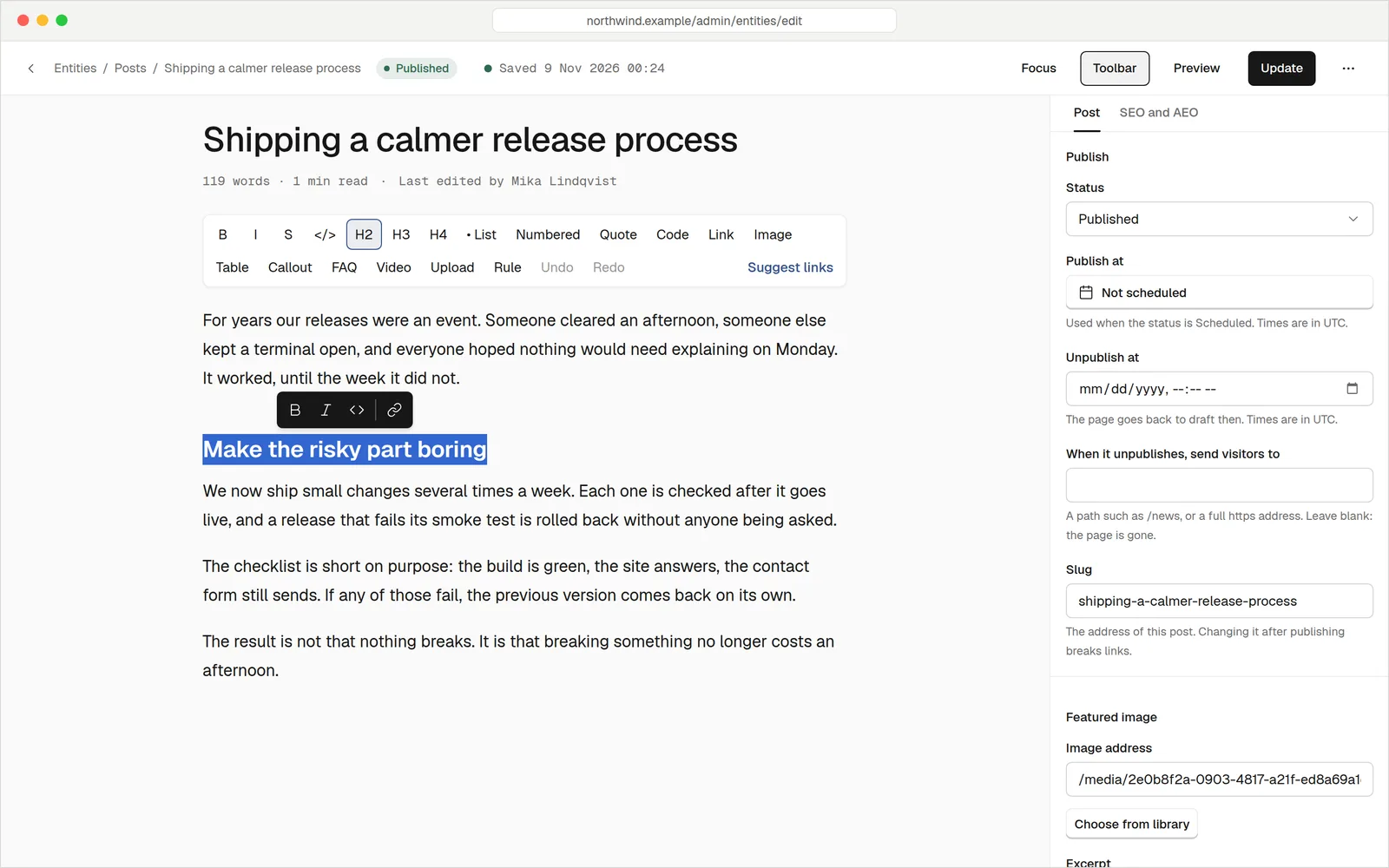
Checks that tell you what to fix
Open the SEO panel in the editor and see how your page will look in search results. A few seconds after you stop typing, it runs its checks and lists what to improve, in plain words.
- A live search preview. Title and description length are checked, so nothing gets cut off.
- Your focus keyword, tracked. Is it in the title, the first paragraph, the description, the address and a subheading?
- Checks for AI assistants too. Question headings, short direct answers beneath them, an opening summary and a FAQ block.
- Social image and canonical address sit in the same panel, next to a switch to keep a page out of search.
The files search engines wantKept up to date
Your sitemap, your robots file, your llms.txt and the structured data on every page are made from your live content each time they are asked for. Publish a page and it is listed. Unpublish it and it is gone. You never edit a file.
- Sitemaps that follow your rules. Drafts, no-index pages and anything that redirects are left out. Posts and pages are grouped into their own files.
- Structured data on every page. Each page is described as a page, article or service, with breadcrumbs, your business details and a FAQ when you add one.
- llms.txt for AI assistants. A plain list of your published pages, with a feed of the same facts for machines.
- robots.txt with a policy per purpose. Allow search, block training, your choice, from one screen.
You can check any page with the built-in JSON-LD checker, and preview your sitemap and llms.txt exactly as crawlers get them.
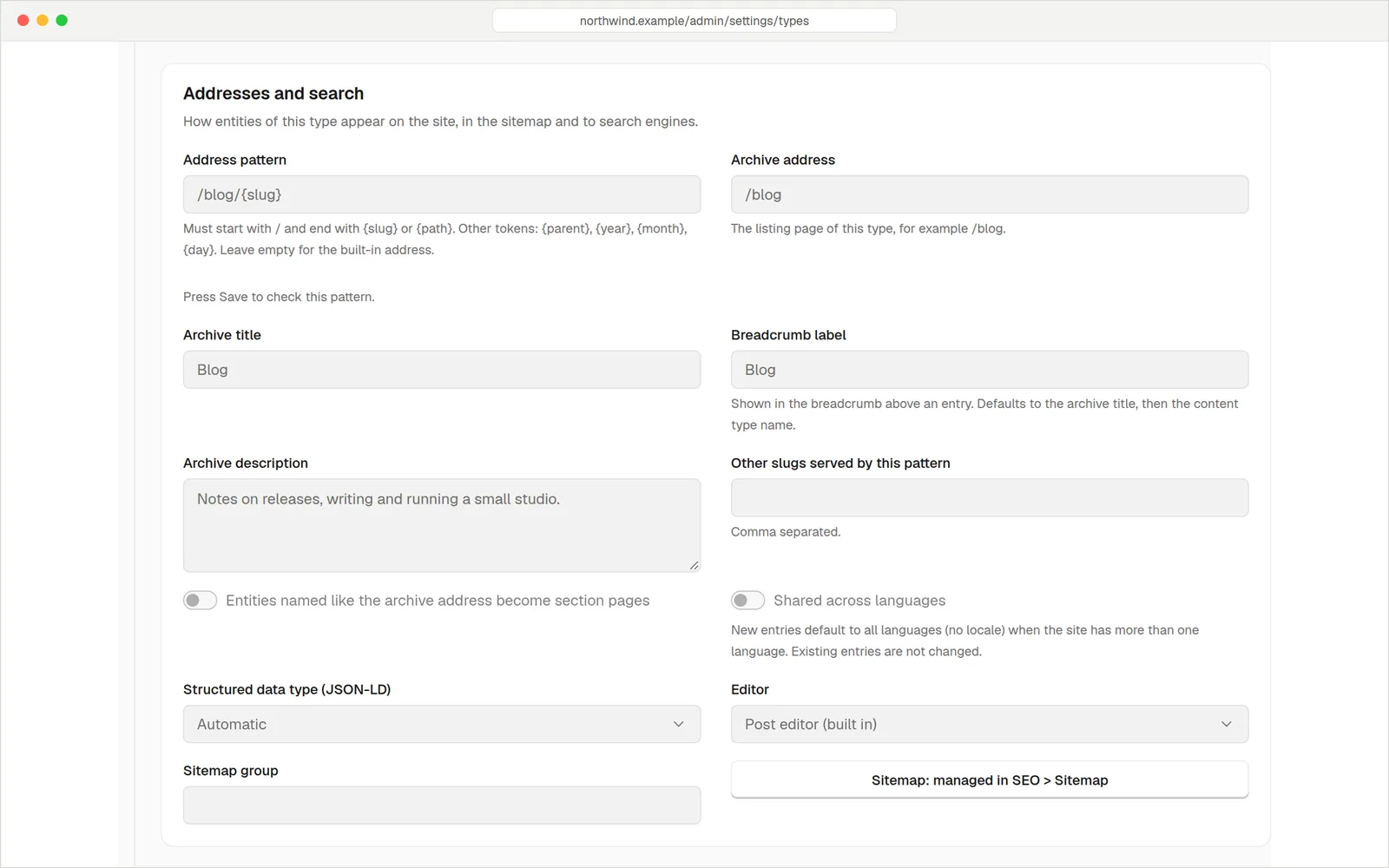
Clean web addressesAnd no dead links
Decide once how each kind of content is addressed: /blog/post-name for posts, /services/drain-clearing for services. Every address, sitemap entry and breadcrumb follows that pattern.
- Change your mind safely. Rename a page or change a pattern and the old address redirects to the new one automatically, without chains.
- Redirects you control. Add your own rules, including wildcards, and see how often each one is used.
- One main address per page. Set a canonical address when the same content lives in two places.
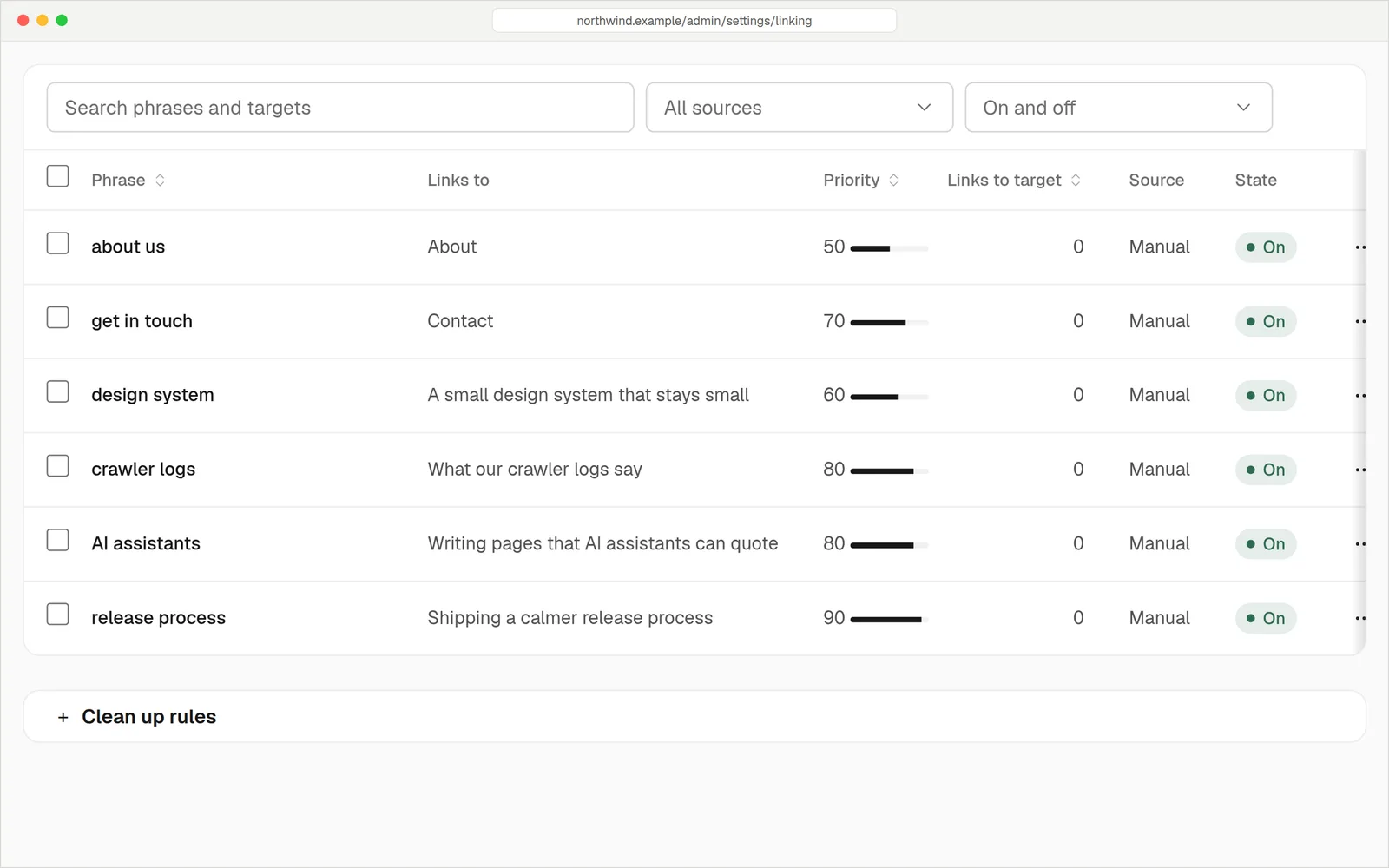
Link your own pages without the busywork
Tell the site once that the phrase "sourdough class" should point to your classes page. It finds the places where that phrase already appears and offers the link. You confirm, and it is added.
- Rules with a priority and a limit on links per page, so pages don't fill with repeats.
- Suggestions you approve. Nothing is changed until you say so.
- See which pages get few links. A report counts the internal links each page receives.
- Links stay right. Change a page's address and the links to it are rewritten.
Everything on the SEO checklistDone
Titles and descriptions
Write them per page with a search preview. A bulk view lets you fix many pages from one table.
Sitemaps
An index plus a file per group. Control priority, what to exclude and whether images are listed.
JSON-LD
Page or article, breadcrumbs, your business, opening hours and FAQs. Output is escaped and checked.
robots.txt
Default rules plus a per-purpose policy for search, AI training, AI search and more.
llms.txt
An index of your published pages for language models. Switch any single post off.
URL patterns
An address pattern for each content type, with nested paths and dates if you want them.
Redirects
Automatic when addresses change, manual when you need them, with hit counts.
Canonical addresses
Point duplicates at the main page, from the Advanced tab of the SEO panel.
Keep pages out
One switch asks search engines not to list a page. It also leaves the sitemap, search and feeds.
One thing to runNot five
A WordPress site can do all of this. It takes a stack of plugins, each with its own settings, updates and ways to clash. Here it is one system.
| hatamoto.io | WordPress with plugins | |
|---|---|---|
| Titles, descriptions and checks | Built into the editor | ~ SEO plugin |
| Sitemaps | Built in, always current | ~ Core or plugin |
| Structured data | Built in, with a checker | ~ SEO or schema plugin |
| llms.txt and an AI policy | Built in | ~ Newer plugins |
| Redirect when a slug changes | Automatic | ~ Redirect plugin |
| Internal link rules | Built in | ~ Another plugin |
| Plugins to update | None | Several, each with its own risk |
| See AI assistants reading you | AI analytics | Not in standard analytics |
QuestionsAnything else, just ask
Talk to usNo tool can promise that. This gets the groundwork right: pages Google can read, a correct sitemap, valid structured data and no broken links. The rest is good content.
We can't promise that either. We make your pages easy for them to read and quote, and AI analytics shows which assistants fetched which pages.
Old addresses redirect to their new homes during the move, and we show you the plan before anything changes. See how the move works.
Yes. The robots policy is set per purpose, so you can allow search and block training. Some assistants that fetch a page because a user asked may ignore robots.txt, and the screen tells you which.
You don't have to. You choose which content types appear, exclude paths, and hide single pages. The file itself is generated.
No. It is added for you. If you are curious, the checker shows what each page carries and whether anything is missing.