A design you loveIn your colours
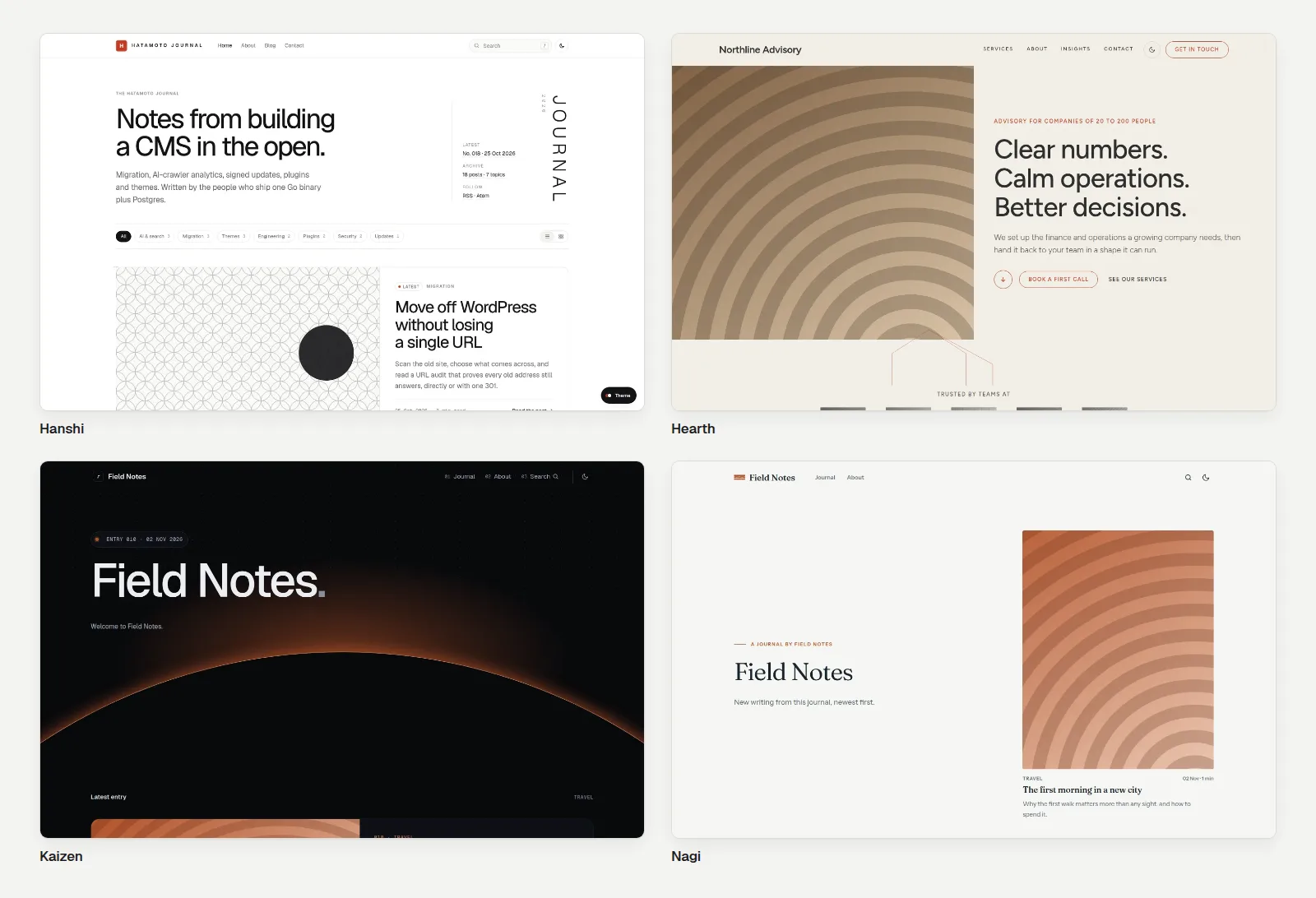
Try a theme on your real pages before you commit. Then make it yours: change the colours, fonts and corners with a few clicks, switch to a dark look, and rearrange the header and footer. No code needed.
Every plan includes every theme and template.
Brand colour
Heading font
Corners
Three hours, a loaf to bake and a starter to take home.
Book a placeMatch your brand in minutes
Pick your brand colour, your background and your text colour. Choose a font for headings and another for body text. Set how round the corners are. Press save and every page changes at once, with the preview right there.
- Three colours, brand, background and text. Buttons and links follow your brand colour.
- Two fonts, one for headings and one for everything else.
- Three corner sizes, from sharp to soft, used across buttons, cards and images.
- Your own CSS, if you or your designer want to go further. It is kept apart from the theme, so updates never overwrite it.
Easy on the eyesDay or night
The default design follows each visitor's device. If their phone is set to dark, your site is dark too, and light when it is not. Colours you choose yourself always win, so your brand stays your brand.
Preview on your real pages
Installing a theme never changes your site. Press Preview and your own content appears in the new design, in your browser only, for an hour. Visitors keep seeing the live site, and your drafts stay hidden.
- Install, preview, then activate. Three separate steps, so nothing happens by surprise.
- A heads-up before you switch. If your pages use a section the new theme does not have, we list them first.
- Switch back any time. Activate your old theme and it is live again straight away.
Layout parts
Rebuild the header and footer
With themes that allow it, you can design your own header, footer, blog post layout and blog list in the same visual editor you use for pages. If a part ever fails to load, the theme's own version steps in, so your site never shows a blank gap.
- Header and footer built like any other section.
- Post and list layouts that wrap your content with your own banners and call-outs.
- Safe fallbacks. A broken part is ignored and the original shows instead.
Fast, accessible and tidy
Themes are built to work before any script loads, and to be easy to read for people and for AI assistants. The default design ships with the details already done.
- Skip links and labelled navigation, with a clear outline when you tab through.
- Works without JavaScript. Forms, menus and pages still do their job.
- Feeds for readers. Your newest 20 posts go out as RSS and Atom.
- Favicons and home-screen icons swap in from your theme.
Theme package
Themes you can trust
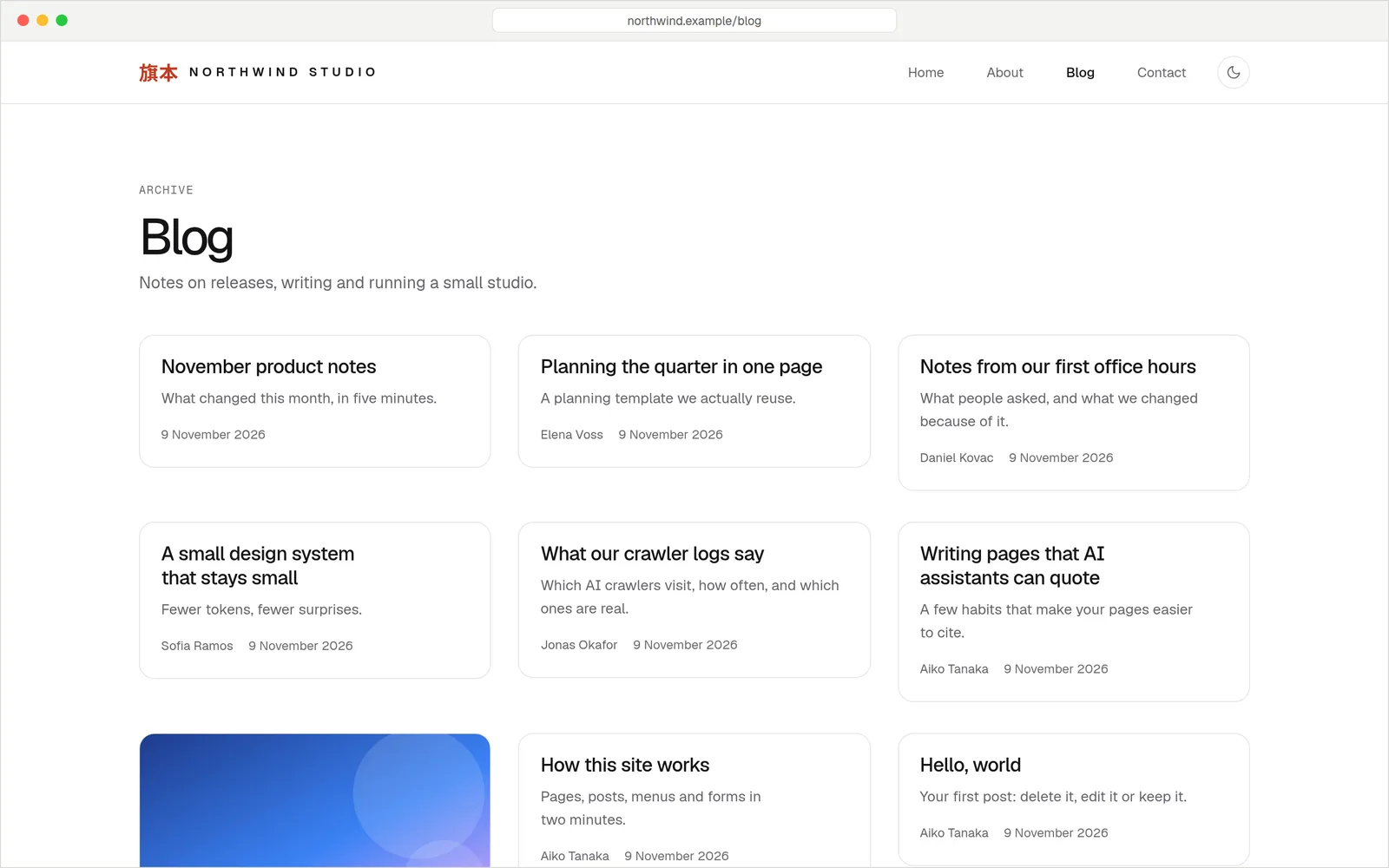
A theme arrives as a single signed package. The signature proves who made it and that nobody has changed it since. Your site only installs packages signed by a key it trusts, so a stray download cannot sneak onto your site.
- Installed from a registry, where each theme lists who signed it.
- Changes apply instantly. No restart, no downtime.
- Hire a designer. Developers can build and publish a custom theme using the free, open-source Hatamoto tools.
Everything a theme takes care of
23 ready-made sections
Heroes, feature lists, FAQs, contact forms and more, all placed from the visual editor.
Right layout per page
Pages, posts, blog lists, search, 404 and error screens each get a fitting layout.
Design tokens
Colours, fonts and corners come from one set of values, so a change is made once.
Translated labels
Theme text such as buttons and pagination can be translated for each language.
Modern images
Photos are served as WebP or AVIF where the browser supports it. See the media library.
SEO and AI ready
Structured data, sitemaps and an AI index come with every design.
QuestionsAnything else, just ask
Talk to usYes. Install the new one, preview it on your real pages, then activate it. Your content stays where it is. If a section does not exist in the new theme, you see a list before you switch.
No. Every plan includes every theme and template.
A theme is the design. A template is a theme with example pages already filled in for a kind of business, so you start with something close to finished.
Yes. Colours, heading and body fonts and corner sizes are all yours to set. Extra CSS is there if you need it.
Yes. Your colours, fonts and extra CSS are stored separately from the theme, so a new version of the theme does not overwrite them.
Yes. Themes are made with free tools and packaged as a signed file. An agency can build one and hand your site over.
Find a look that feels like you
Preview every theme on your own content, free for 14 days.