Your site talks to your other tools
Publish a post and tell your team's chat. Get a form enquiry into your own system. Let a script read your content. Your site can send a message when something happens, and answer when something asks.
No plugins to install. Webhooks and API keys are built in.
Webhooks Delivery log
entity.publishedSourdough classes, to team-chat.example.comform.submittedContact form, to crm.example.comentity.updatedOpening hours, to team-chat.example.comimport.completed38 pages createdNew webhook
Your site tells you first
A webhook is a web address you choose. When something happens on your site, we call it. Use it to post in your chat, add a row to a spreadsheet or start a job in a tool you already use.
- Signed, so you know it's us. Every call carries a signature made with your own secret. Your tool can check it.
- Retried if it fails. If your tool is down, we try again, up to 10 times, with longer gaps each time.
- A log you can read. See every delivery, what your tool answered, and retry a failed one by hand.
- Pause when you need to. Send a test call any time to check it's wired up.
Pick what you want to hear about
A webhook can listen to any of these. Choose one, a few, or all of them.
entity.createdA page or post is created
Sends its id, name and content type.
entity.updatedSomething is edited
Sends its id, name and the new version number.
entity.publishedSomething goes live
Sends its id and name. Good for "new post" alerts.
entity.deletedSomething is deleted
Sends its id, name and content type.
form.submittedSomeone fills in a form
Sends the form and submission ids, and where the visitor came from when we know. Never what they typed, because that's personal.
import.completedAn import finishes
Sends how many items were created, updated or failed.
Plain JSONChecked in a few lines
Each call is a simple message your developer or automation tool can read. The signature comes in a header, together with a timestamp so old messages can be rejected.
- Safe by default. Addresses must use HTTPS, and calls to private or internal addresses are blocked.
- Delivered at least once. Every message has an id, so a retry is easy to spot and ignore.
- Kept for a while. The delivery log keeps successful calls for 30 days and failed ones for 90.
An example call. The secret is shown once when you create the webhook.
Three ways inOne site
A JSON API with keys
Give a script or another service its own API key. Tick only what it needs, such as reading content, and set it to expire in 30 days, 90 days, a year or never. Revoke it at any time.
AI agents over MCP
Let an AI assistant draft and publish for you under keys and rules you control. Your site speaks MCP, the standard way for agents to connect.
AI agents & MCP →Tracking tags
For Google Analytics, Meta and other tracking, you don't need webhooks or code. Add the tags from the admin and they're managed for you.
Tag manager →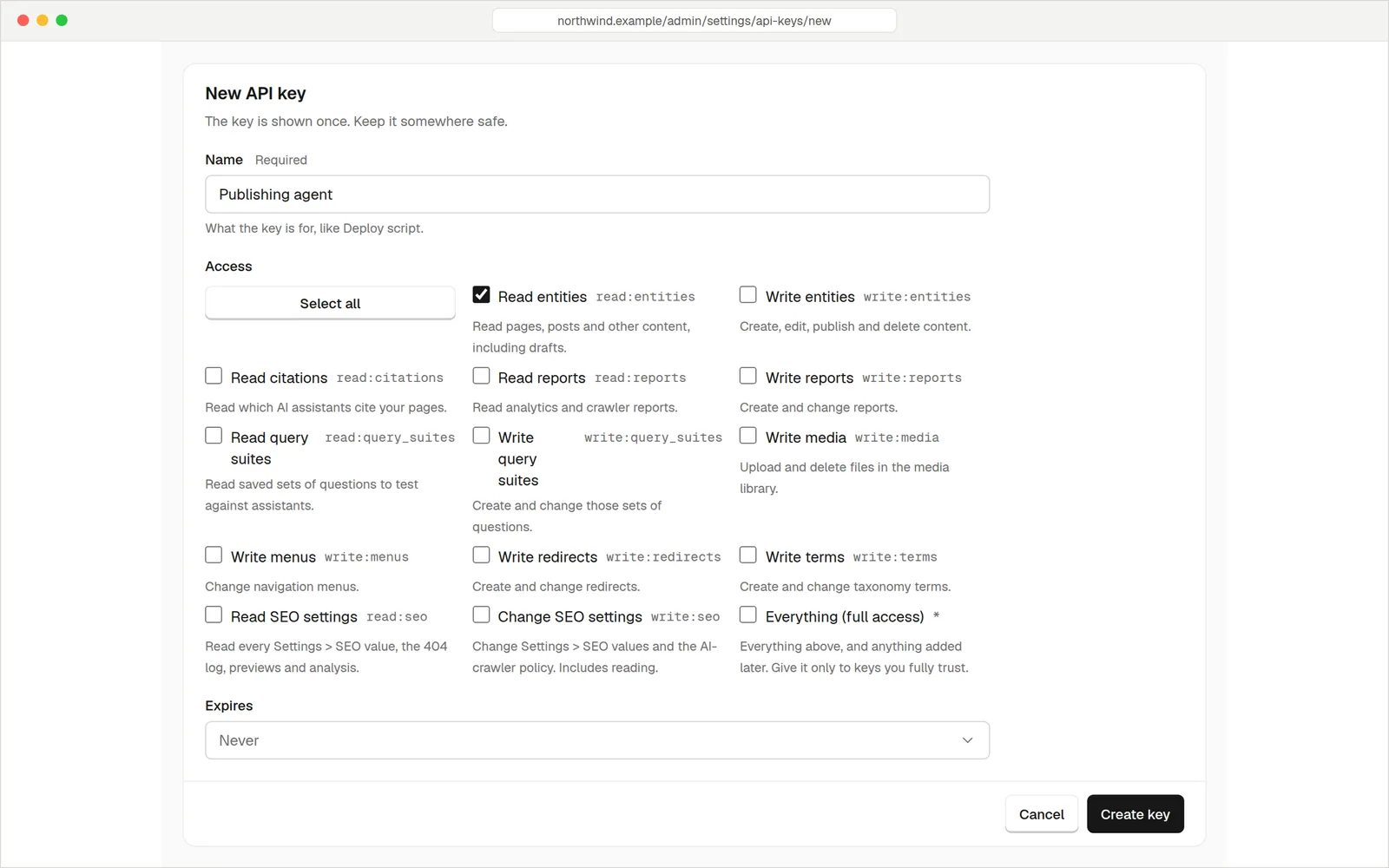
Creating a key with its own name, access and expiry.
Give a program only what it needs
Create a key, tick what it may do, and copy it. It's shown once. The program sends it with each request and gets your content back as JSON.
Messages that reach people
Your site sends the email that matters: a notification when someone fills in a form, a confirmation for the visitor, password resets and invitations for your team. Connect your own mail provider and the messages come from your address.
- Works with common providers. Amazon SES and Gmail or Google Workspace are ready to pick. Any other SMTP server works too.
- Checked when you save. We test the connection first. If it fails, you see the mail server's answer and nothing is saved.
- Send yourself a test. One button, and you know it works.
Email log
Every message your site sent
Form notification · hello@harbourstreetbakery.com.au
Form confirmation · sam@example.com
Form notification · hello@harbourstreetbakery.com.au
Test email · you@example.com
Know what was sentAnd what wasn't
Sent
The mail server accepted the message. That isn't proof it was delivered, because we don't track bounces or opens.
Failed
The mail server refused it. You see a short error with any password removed, so you can fix the cause and resend.
Resend
Send a stored message again to the same people. Messages with private links, like password resets, are never stored.
You choose how long message text and log entries are kept, from 1 to 365 days. The defaults are 30 and 90.
QuestionsAnything else, just ask
Talk to usNot for email, and not for tags. Webhooks and API keys are for connecting tools, so you or whoever builds your automations will use them. Many no-code tools can receive a webhook.
Only site owners can create webhooks, API keys and email settings.
No. It sends ids, and where the visitor came from when that was recorded. Your tool can read the submission through the API with a key.
Up to 50 per site, with up to 20 custom headers each.
Your site sends mail through an SMTP account you connect, so your messages come from your own address and domain. A provider's free plan is usually plenty for form notifications.
An agent only gets the access you give its key. See how it works
Connect the tools you already use
Try it free for 14 days. Card needed, nothing charged until the trial ends.