Write it onceEveryone reads the same facts
Every page on your site is a record with a type: a service, a person, a post, a place. That one record becomes the page your visitors see, the data Google reads, your sitemap entry, your llms.txt line and what an AI agent is told. They can never drift apart.
Free for 14 days. Card needed, nothing charged until the trial ends.
- Do you charge a call-out fee?
- How fast can you get here?
- Is the work guaranteed?
Fill in the formEverything else follows
You do not paste markup into a page, or keep a sitemap and an AI summary in step by hand. You edit the record. These are all made from it.
Example business. The record switches language to show each version gets its own page, data and sitemap entry.
Not everything is a page or a post
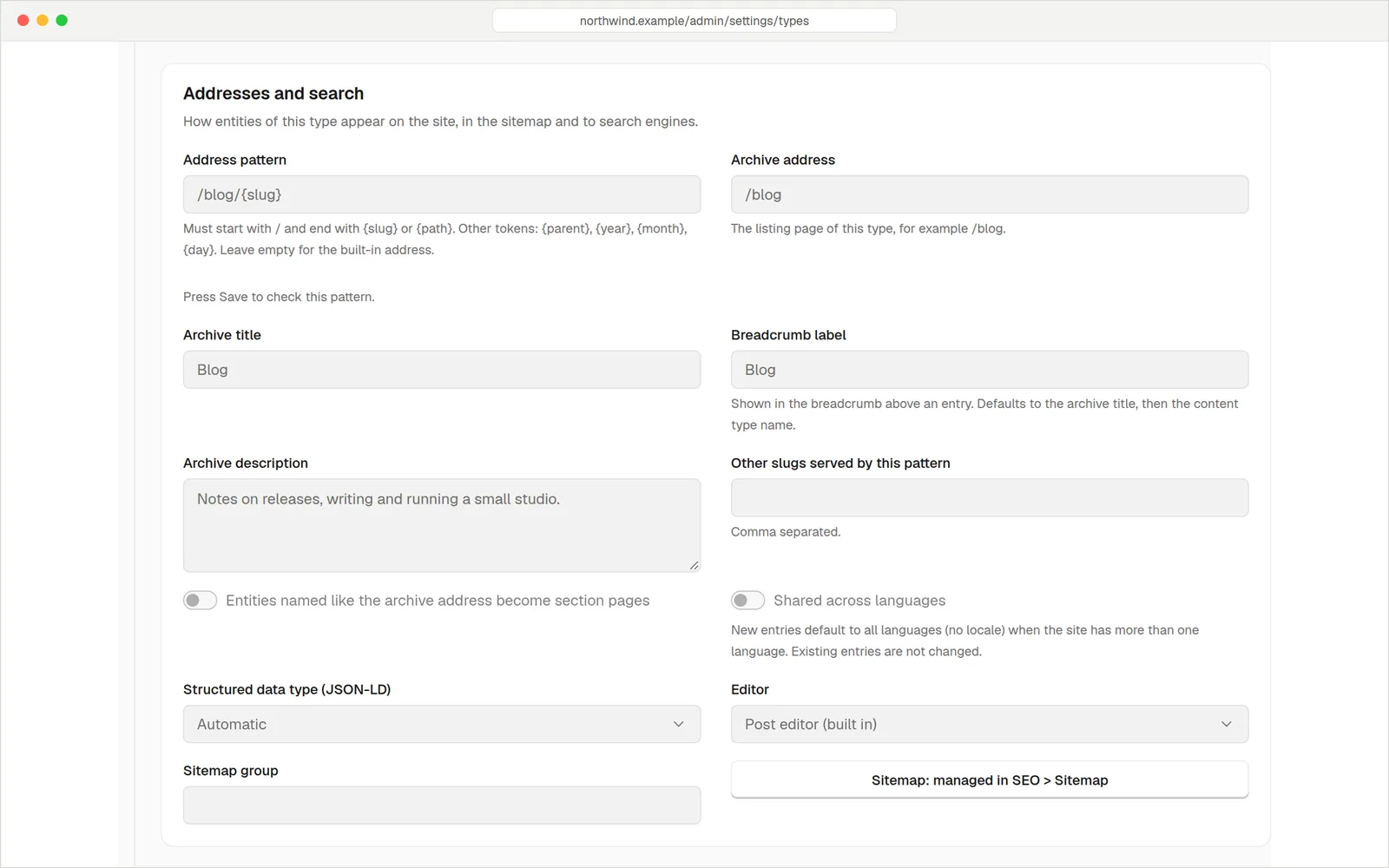
A plumber has services. A restaurant has dishes. A studio has projects. In the admin you define a content type by adding fields (text, numbers, images, lists, switches) and choosing where its pages live. No code.
- Build the form you need. Drag fields into order, group them under headings and mark the important ones as required.
- Pick the address. /services/{slug} or /projects/{slug}. An archive page that lists them comes with it.
- Pick the structured data type. Choose from a list: Service, Course, HowTo, Article, BlogPosting, Person and more. Or leave it on Automatic.
- Add a FAQ. Questions on a record become FAQ markup on its page.
Mapping your own fields to specific schema.org properties, such as areaServed, is an advanced setting for people comfortable with JSON Schema.
Your site, described as connected facts
Your business, your website, each page and each service are linked to one another by stable identifiers. A search engine or an assistant can follow them: this service is offered by this business, which runs this site.
- Your business is described once from your site settings: name, logo, phone, hours, address and social profiles.
- One feed of everything. Published records are available as a single JSON-LD feed at /api/v1/public/knowledge-graph, and llms.txt points to it.
- Any page, as data. Ask a page for application/ld+json and you get its structured data without the HTML.
- People and credit. Posts can be credited to a person, and that person's profile becomes the author in the data.
The usual wayFour copies of the truth
Typical plugin setup 4 places to edit
One record 1 place to edit
Example prices are made up for illustration.
The detailsHandled
Content types without code
Add a type, add fields, set its address. Pages, posts and people come ready-made.
Schema.org type per content type
Choose Service, Course, HowTo, Article, Person and others from a list.
FAQ markup
Questions on a record become a FAQ block in the page's structured data.
Breadcrumbs
Every page with a trail gets matching breadcrumb data using its real address.
Your business, once
Name, logo, phone, hours, address and profiles feed an Organisation and WebSite description.
A built-in checker
Check any page for missing required fields. Your AI agent can run the same check.
Versions
Every save is a version. Compare two, or restore an earlier one.
People as records
Authors and team members have profiles that link to the posts they wrote.
Import and API
Records can be created and updated by API, import or an AI agent, with the same rules.
QuestionsAnything else, just ask
Talk to usNo. Pages and posts get it automatically. Content types get it from the type you choose in a drop-down.
It makes your pages eligible, nothing more. Google decides what to show. Run a page through Google's Rich Results Test if you want to see.
Yes, as fields on your content type. Showing them in the page is easy. Mapping them to named schema.org properties is an advanced setting.
Yes. The builder designs how a record looks. The record underneath is still the single source for the data.
Only through an API key you create, with scopes you choose. See AI agents and MCP.
Your records are yours. You can download the whole site and run it with the free software.
One recordEvery reader
Start free for 14 days. Card needed, nothing charged until the trial ends.